Chapter 9 - Classifieds
Users Guide
SoNET Powered Websites
Introduction
Thank You for using this SoNET Powered Website. By now you have figured out
that your new website is all about providing you the most bang for your buck, so
lets get into all the good things you can do with it. First off, you can upload
Pictures, Video's and even Mp3 files so others can not only read what you have to
say but see and hear it too. Your new site can even have its own members and allow
you to build your fan club or email list and send messages to all your members.
You can change whether it is public or private as well as change how it looks in
just a few seconds without losing any of your information. In addition to that you
can add, edit, spell-check and customize all the text on your website in multiple
languages. You can insert pictures into your front page text, write a Blog and even
post classifieds ads on your site. You can even get comments and ratings on all
the content you post and those who post can follow the conversation from anywhere.
Additionally you can post journal notes, make public announcements across the entire
network and communicate with other site owners on the network via email messaging.
Your site even has its own user management and each member of your site gets a profile.
The custom contact forms and invitations mean that you can build your own hub of
activity and communicate with all your members, generate leads for your business
and more. PayPal support means you can even sell stuff on your new website. These
and many more features are yours when you own a SoNET powered website. There is
nothing, that compares to your SoNET powered website at anywhere near the price
you are paying :) So tell a friend!
Chapter 9. Classifieds
The Classifieds
Imagine having the power to run a Classifieds section of a Newspaper or Magazine!
Ok, (poof!) now you can with your website and you will not need any programming
skills to get it to work either, because your website has the capability built in.
The categories and such are chosen by the SoNET network owner who you got this website
from. If you have a need for something simply ask them and they can add it in seconds
because iRadek Software made sure they get to use powerful Web Design Automation
technology too, so it's easy for them to hook you up.
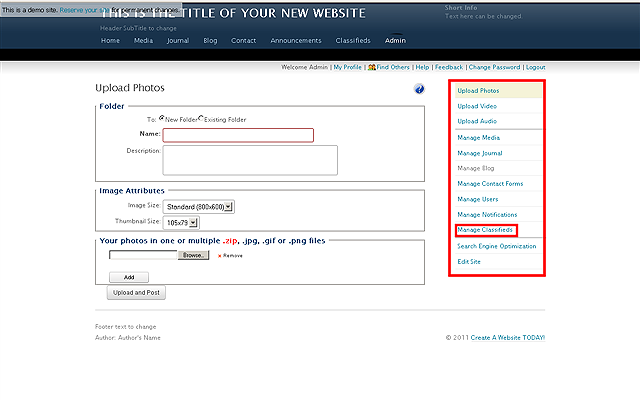
Click the MANAGE CLASSIFIEDS control link.
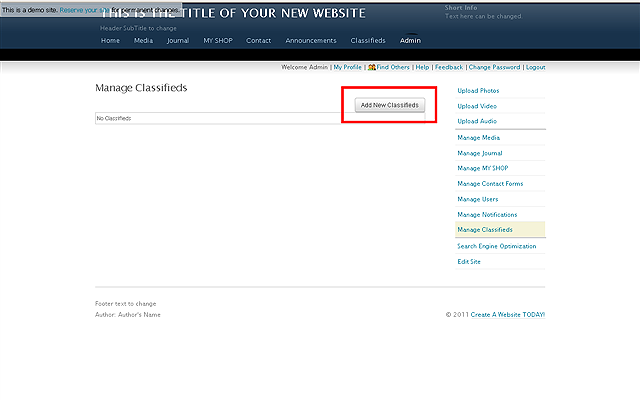
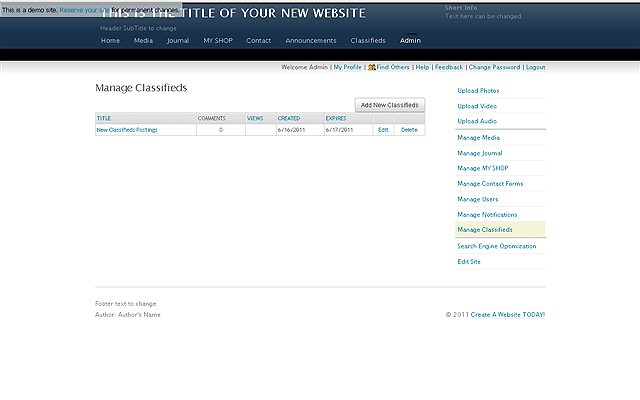
Once you click the link you will see the following screen. Click the ADD NEW CLASSIFIEDS
button to ad a new entry.
NOTE: If you have some adds already then they will be visible here and you
can EDIT and DELETE them.
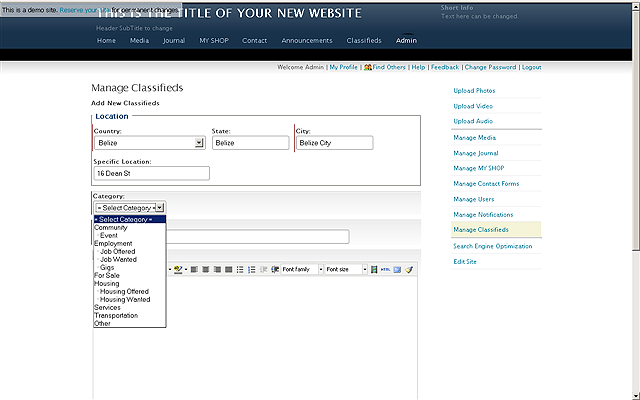
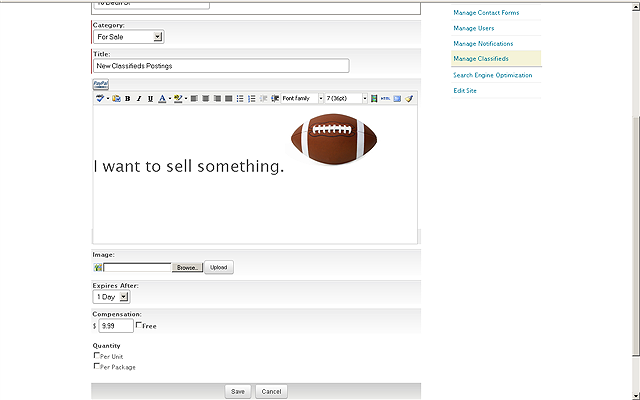
Choose the options for your posting and use the powerful editor to make it look
just right. You can even SELL your stuff right from the Ad by simply using the PayPal
button to setup. This only takes seconds and you can be ready to sell on your new
website (Woot!).
NOTE: The specific categories available to you for Ad postings are determined
by the owners of the network you are on.
Choose how much, how long and type of quantity then upload your images and get everything
just right. Sell, Sell, Sell. Click SAVE when you are done.
You can EDIT or DELETE postings at any time. Notice that the Views and Comments
are being tracked for you so you know what's HOT!
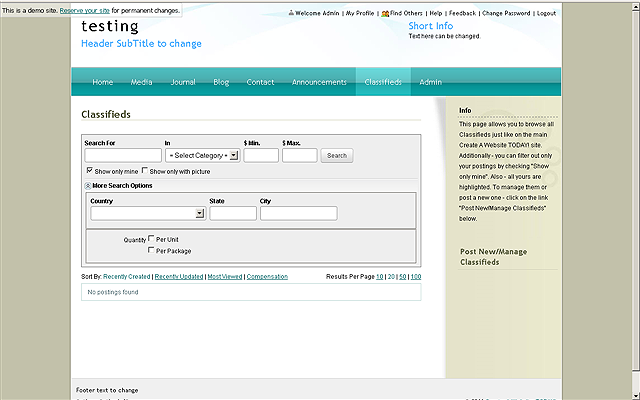
Visitors can search for ads and see what you have to offer, by going to your Classifieds
page. As usual, if you want to call it something else because you found a different
way to use the functionality, then go for it (how many Internet technology manuals
have you EVER seen that say "go for it"; we bet the answer is ZERO :)