Chapter 6 - Contact Forms
Users Guide
SoNET Powered Websites
Introduction
Thank You for using this SoNET Powered Website. By now you have figured out
that your new website is all about providing you the most bang for your buck, so
lets get into all the good things you can do with it. First off, you can upload
Pictures, Video's and even Mp3 files so others can not only read what you have to
say but see and hear it too. Your new site can even have its own members and allow
you to build your fan club or email list and send messages to all your members.
You can change whether it is public or private as well as change how it looks in
just a few seconds without losing any of your information. In addition to that you
can add, edit, spell-check and customize all the text on your website in multiple
languages. You can insert pictures into your front page text, write a Blog and even
post classifieds ads on your site. You can even get comments and ratings on all
the content you post and those who post can follow the conversation from anywhere.
Additionally you can post journal notes, make public announcements across the entire
network and communicate with other site owners on the network via email messaging.
Your site even has its own user management and each member of your site gets a profile.
The custom contact forms and invitations mean that you can build your own hub of
activity and communicate with all your members, generate leads for your business
and more. PayPal support means you can even sell stuff on your new website. These
and many more features are yours when you own a SoNET powered website. There is
nothing, that compares to your SoNET powered website at anywhere near the price
you are paying :) So tell a friend!
Chapter 6. Contact Forms
The Contact Form
One of the most powerful reasons to have a website is the fact that you can collect
lead information via contact forms! SoNET powered websites benefit from the ability
to create customized data collection forms, they can be as simple as a contact form
or as complicated as a survey and best of all you decide what you want. Getting
it to work is taken care of by your website with no developer or programming skills
needed.
Click the MANAGE CONTACT FORMS link from the Admin controls on the side (as usual,
if you want another name for the Contact Form because you want to use it for another
purpose like a survey, simply change the name of the navigation button and save
it)
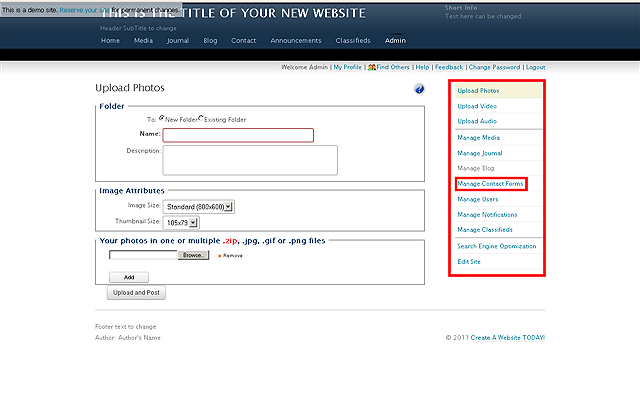
Once clicked the following screen shows
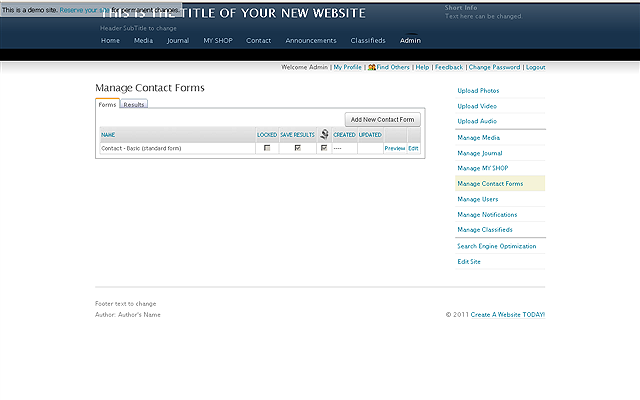
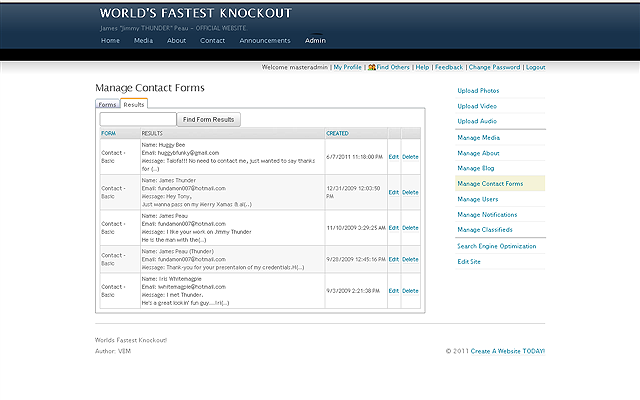
The Results (collected information) tab
will show what has been collected from the form so you keep all the information
you collect and with notifications you can even forward the info to your phone,
so you know when you have a lead and get all the info you need right away (woot!).
You even Edit and Delete the entries.
Click the ADD NEW CONTACT FORM button to select
from the default templates or create your own NEW form.
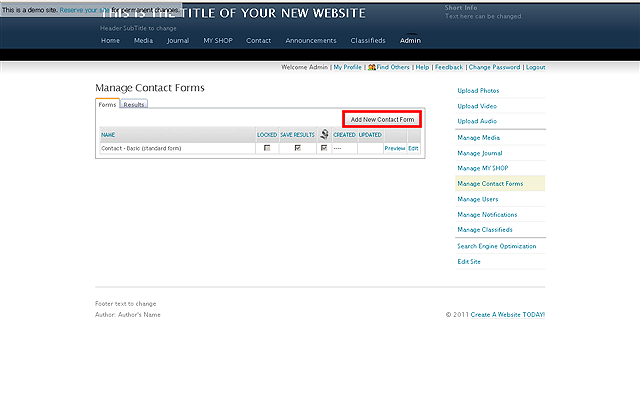
Once clicked the following screen appears where you can choose from some
pre-defined forms or make your own custom form.
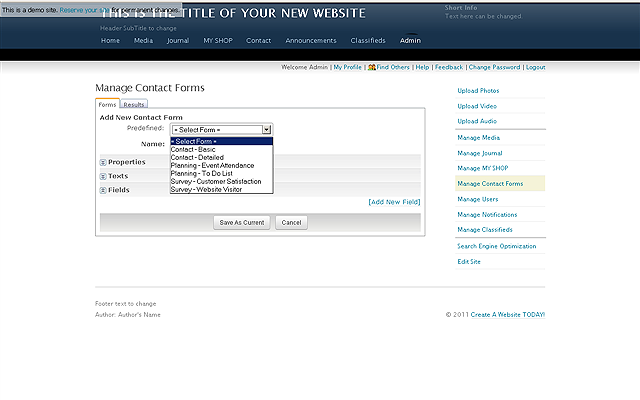
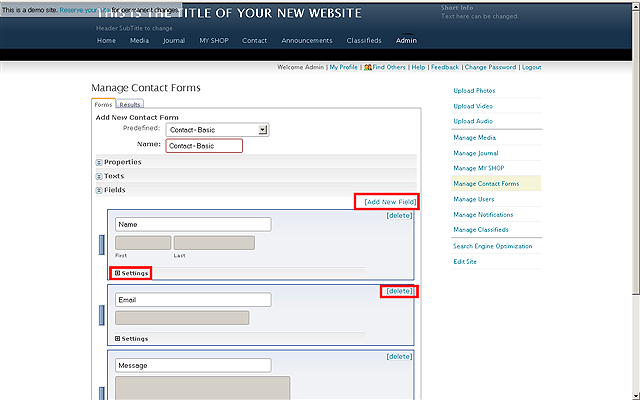
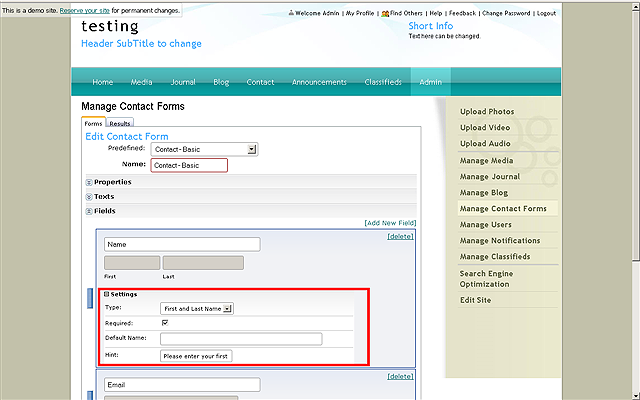
The Basic Contact Form is the default. You can customize
the actual information collection fields for the forms. To see what each field can
do, click the settings for it. You can Add New Field or delete those you do not
want or need.
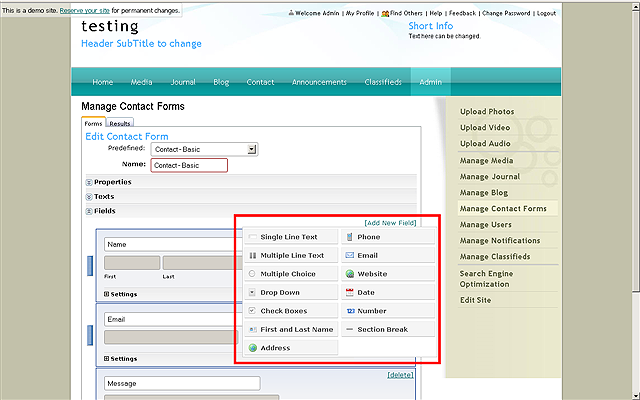
Many options are available for fields like: Single Line Text,
Dropdown Menu's, Check Boxes, Multiple Choice Selections and other useful features
to help you make whatever kind of form you want FAST!
Clicking SETTINGS gets you the options for that field
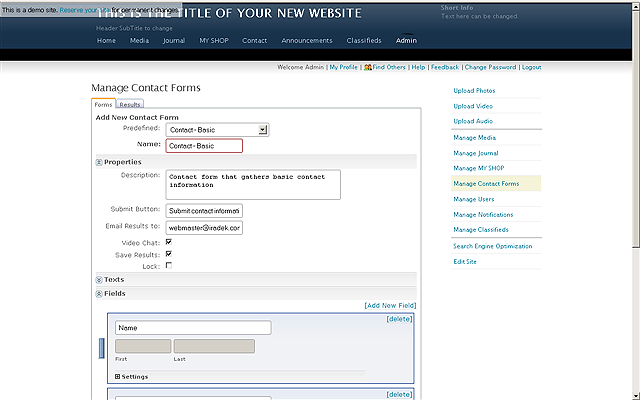
The Properties of the Basic Contact Form (where you can
name it and save details about it as well as setup where the collected information
should be e-mailed). This is also where you turn on of off other features like instant
Video Chat (on networks where it is an option), select if you want to save anything
from the form in your archives or if you wish to Lock (turn off) the form.
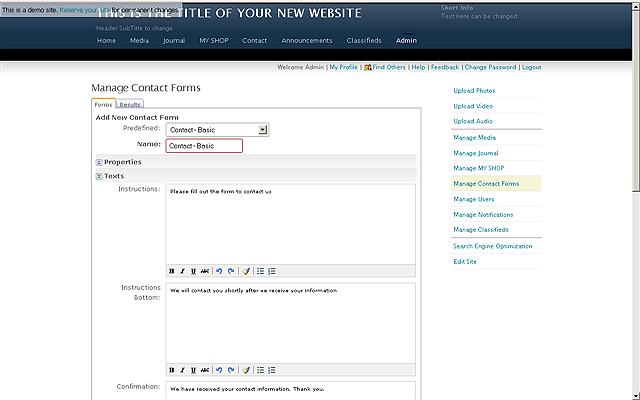
The Texts that will show on your contact form can be changed also. If you like you
can upload a picture to and album on your site and use HTML after it is uploaded
to make it display here, that trick works for almost any content you like if you
really want graphics on your contact form, just save your code as an HTML page,
open it up in your browser and cut/paste it in here. NOTE: Some networks may have
this ability turned off so spammers can't graffiti the sites.
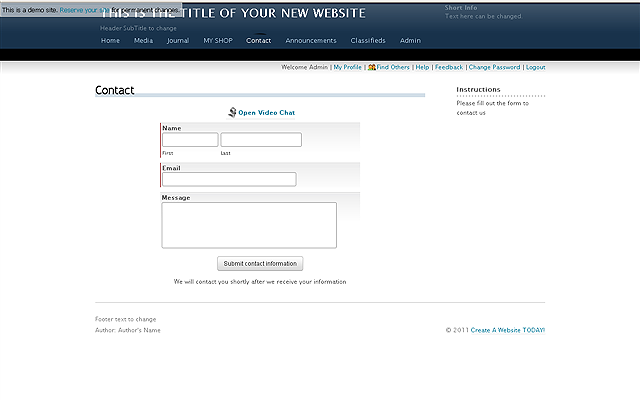
This is what a visitor to your site will
see (in this case a Basic Form is being used).