Chapter 10 - SEO Tools
Users Guide
SoNET Powered Websites
Introduction
Thank You for using this SoNET Powered Website. By now you have figured out
that your new website is all about providing you the most bang for your buck, so
lets get into all the good things you can do with it. First off, you can upload
Pictures, Video's and even Mp3 files so others can not only read what you have to
say but see and hear it too. Your new site can even have its own members and allow
you to build your fan club or email list and send messages to all your members.
You can change whether it is public or private as well as change how it looks in
just a few seconds without losing any of your information. In addition to that you
can add, edit, spell-check and customize all the text on your website in multiple
languages. You can insert pictures into your front page text, write a Blog and even
post classifieds ads on your site. You can even get comments and ratings on all
the content you post and those who post can follow the conversation from anywhere.
Additionally you can post journal notes, make public announcements across the entire
network and communicate with other site owners on the network via email messaging.
Your site even has its own user management and each member of your site gets a profile.
The custom contact forms and invitations mean that you can build your own hub of
activity and communicate with all your members, generate leads for your business
and more. PayPal support means you can even sell stuff on your new website. These
and many more features are yours when you own a SoNET powered website. There is
nothing, that compares to your SoNET powered website at anywhere near the price
you are paying :) So tell a friend!
Chapter 10. SEO Tools
The Search Engine Optimization
tools.
Today, the name of the game is SEO which is coding your website to make it easy
for search engines to categorize and rank its validity to a topic as well as its
popularity. If you don't rank well in the search engines your site will not get
found. So because we know that it cost lots of money to hire and SEO, we will help
you tackle the basics via your super cool website. This will set your website up
to be "crawled". Don't worry its not going to be weird, that's just the
name of the process of having search bots (Spiders) read your website and report
its content back to the search engine.
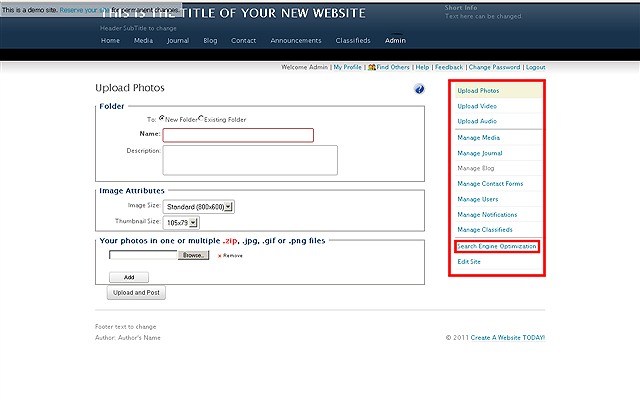
Click the SEARCH ENGINE OPTIMIZATION control link.
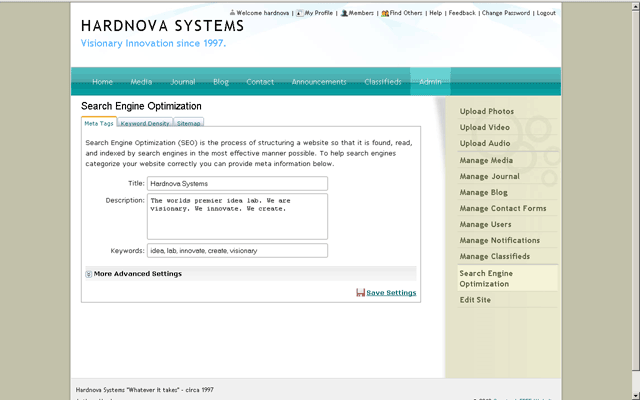
Once you click the link you will see the following screen. Input the
TITLE, DESCRIPTION and KEYWORDS that best describe your sites topic and
content. Click the SAVE SETTINGS link when finished.
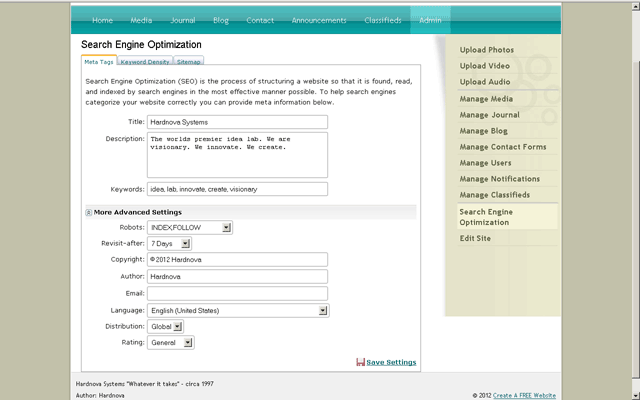
Here are some MORE ADVANCED SETTINGS if you
want to go the extra mile. Click the SAVE SETTINGS link when finished.
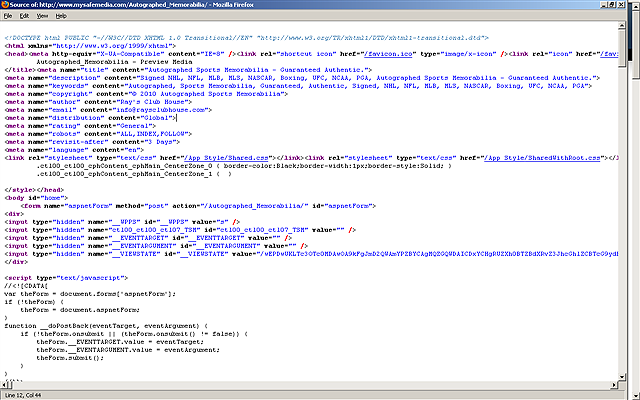
Here is what really happened in the background in case you are curious as to what
the HTML code that was just created for you looks like.
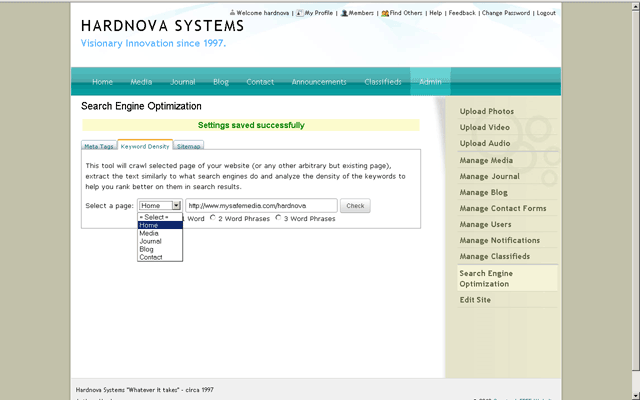
Click the KEYWORD DENSITY tab. Select a PAGE to crawl from the dropdown
list. Select a radio button to crawl and find your pages 1, 2 or 3 WORD
PHRASES. This tool will crawl the selected page of your website in
the same manner as search spiders do, then analyze the density of the
keywords on that page. You can check for proper density for 1,2 or 3
keywords and phrases. Proper keyword density will help you rank better
on search engines.
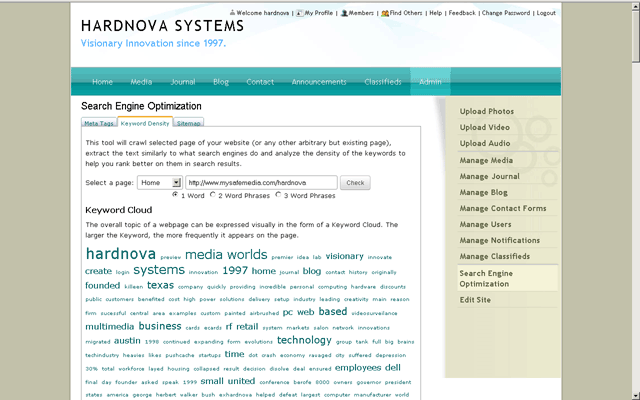
The KEYWORD CLOUD for the page you crawled will show. The overall topic
of a webpage can be expressed visually in the form of a Keyword Cloud.
The larger the keyword, the more frequently it appears on the page.
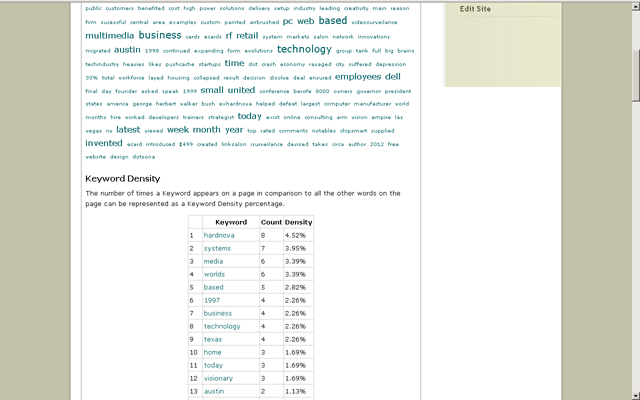
The bottom half of the results screen will show the keyword density for
the words on the page as a percentage of all the words on the page.
Typically for your major topic you want to be in the 6-9% range and for
your supporting keywords you want to be between 1.5% and 3% density.
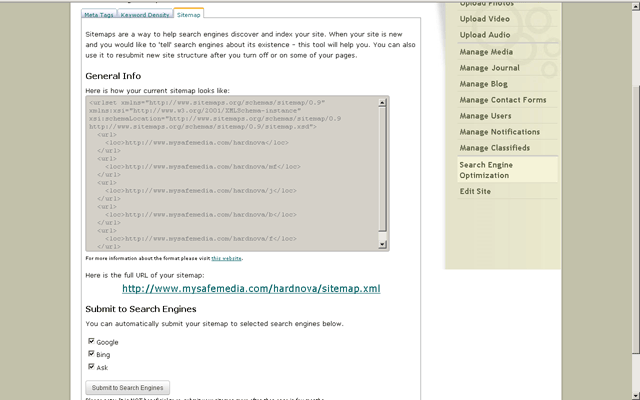
Another useful thing your website does is generate an XML sitemap for
you and let you submit your website to the major search engines. Click
the SITEMAP tab. You can see the actual contents of your XML sitemap.
You can also click the URL to the file or right click and save it if you
like. Finally, choose the checkboxes for which of the major search
engines you want to submit your website to (all 3 are checked by
default), the click the SUBMIT TO SEARCH ENGINES button.
NOTE: You only need to do this once for your new website. Too many
submissions to the search engines is actually bad.